
Stickit
Turn any GIF, video or image into an animated WhatsApp sticker.
Everything runs on your phone. No sign-up, no servers.
Install (once)
- Tap Download and open the file.
- If you see "Install unknown apps", allow it for your browser.
- If Play Protect warns you: More details → Install anyway. It's not from the Play Store, hence the warning.
Make a sticker
- New sticker → pick a GIF, video or image. Or tap "Share" on a GIF in any app → Stickit.
- A still image? Give it a motion: bounce, wobble, pulse, jelly, plus hearts, sparkles or confetti.
- A video? Pick a clip of up to 8 seconds.
- Save sticker. WhatsApp needs at least 3 stickers in a pack.
- Add to WhatsApp. Made more stickers later? Tap Update.
Where are they in WhatsApp?
Open a chat → emoji icon → stickers tab → in the bottom row, the icon with a number. The Stickit pack is in there.
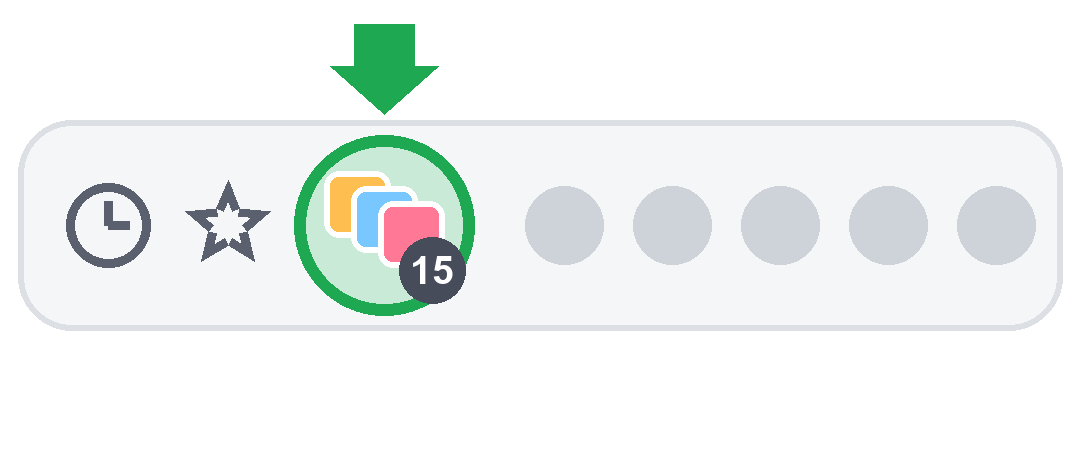
Not showing? Fully close WhatsApp and open it again.
Good to know
- Transparent PNG, GIF and WebP stay transparent. Video has no transparency.
- To delete: long-press a sticker, then tap Update in WhatsApp.
- Works with WhatsApp and WhatsApp Business.
On iPhone?
iPhones can't install apps from outside the App Store. An app like Sticker.ly does the same job there.